Tuesday, 8 May 2012

PFT: Development of Ratio Logo


The above images show my development so far of a possible ratio logo for my poster. I started with the typical idea of the male & female logos with the ratio sign but that's too obvious so I began looking at a more creative solution. My next step was to simplify the logo as much as I could, this involved taking the head shapes of the previous logo and enlarging them and adding magenta(Female) & cyan(Male). I like this logo but I'm unsure if it makes sense, perhaps with a tagline underneath it would be fine. More development is needed to find out.
The next step took me off in a slightly different direction, focusing on the word 'one'. I tried several variations incorporating the ':' symbol to see if it conveys the meaning well. I like my second attempt the best but I think I may have lost too much of the word 'one' for it to make sense to anyone reading it. Again development with a tagline will help to see if this is an issue.

Wednesday, 2 May 2012

PFT: Color & texture experiment


 These are quick posters put together so I see how a possible colour scheme works along with a paper texture.

Tuesday, 1 May 2012

PFT: Logo Sketches

Logo Sketches

Ratio Logo Sketches
The above images show some of the sketches I drew developing some logo ideas for the poster. My first sketches are playing with the typical male & female symbols but naturally I want to stay away from these. After doing a bit of research online on several topics I discovered that the worlds population is approximately 1:1. I thought this is a nice topic to run with so I started sketching different ideas.

I did alot of variations based of the ratio ( ':' ) symbol. I wanted to have a simple logo that was effective in getting the point across but also didn't look too cliché at the same time. There's a few that I like but I'm not quite sure that they read the point across, I'm going to re-make them in illustrator and go from there.

Thursday, 19 April 2012

Penguin Book Cover Designs

Penguin Books have been running a competition to re-design two classic books; 'One Flew Over the Cuckoo's Nest' & 'Grimms Fairy Tales'. I started with the intention of entering for both but time was against me so I just stuck with 'One Flew Over the Cuckoo's Nest'.


After doing some quick doodles I came up with the idea to illustrate the literal meaning of the book title, might be too quirky or cliché but you never know what there looking for. I wanted to have hand drawn illustrations in this design as they would look much better than if I drew them digitally. So I did just that :) 


Flying man illustration

'1' flying over the nest

Hand drawn text
The drawings were sketched in blue, then inked in black. Scanning these in black & white mode ignores all the blue and shows the above results, it's a trick I wish I knew years ago.
I painted small birds with the intention of using them in the design but I felt there was too much happening with them in. 
Below are different variations of the cover design leading up to the final cover that I submitted;


First design
When I finished the above design I knew it just wasn't working, the text was just ok and the white    box at the back wasn't doing it any favours. After speaking with Padraic (Typography lecturer) he suggested a more interesting font, take away the white box change the size of the text in the blurb. 
Second design
The second design with the hand drawn text added, back cover changed and the cuckoo nest changed to a new colour.

Variation of second design
Variation of the second design with the flying man illustration. I'm torn between the two ideas.


Third design
After chatting Padraic some more we considered the use of chicken wire in the design, the chicken wire represents the imprisonment of the men in the asylum. The hand drawn text & cuckoo nest were enlarged and the blurb text was also changed.


Variation of third design
Variation of the third design with the flying man illustration. Still not sure which cover I'm going to submit at this point.


Final submitted design
In the end I decided to go with this design. I prefer the '1' flying over the nest instead of the man, I think it's quirkier and a bit more humorous. To make sure I wasn't making a horrible mistake I even did a quick survey to see which some people preferred, luckily I had made the right choice.
It was interesting working on this, I'm not particularly bothered about winning I just enjoyed the chance to submit my work to Penguin Books :)

Thursday, 12 April 2012

nICE Typography


Came across the examples of ice typography on a recycle art website. The artist Nicole Dextras builds wooden templates which are then filled with water and left to freeze, sometimes with the addition of food colouring. It's a pretty cool way to present words and messages but the only downside being that there going to melt. The melting process could also be used as part of the type too or it could be used to highlight a message, 'Global Warming' for example. 

Sunday, 25 March 2012

Shine a light on it...

I've been thinking about possible locations to create my anamorphic illusion and I'm not having any luck. At the minute I could be donning a mask an creating under the cover of darkness...
If I can't get a location that I could paint I was considering is there anyway of making my illusion invisible, soon after thinking of this I remembered about a UV pen that I had for writing secret notes & marking property. After a quick search online I found that you can buy UV paint in a range of colours that when dry, become invisible. This would allow me to paint on a wall that someone wouldn't want defaced, the illusion would only be visible under a black light and lets be honest neon colours look awesome...
I was hoping to find some sample images but I can't find any, all good for me then :)


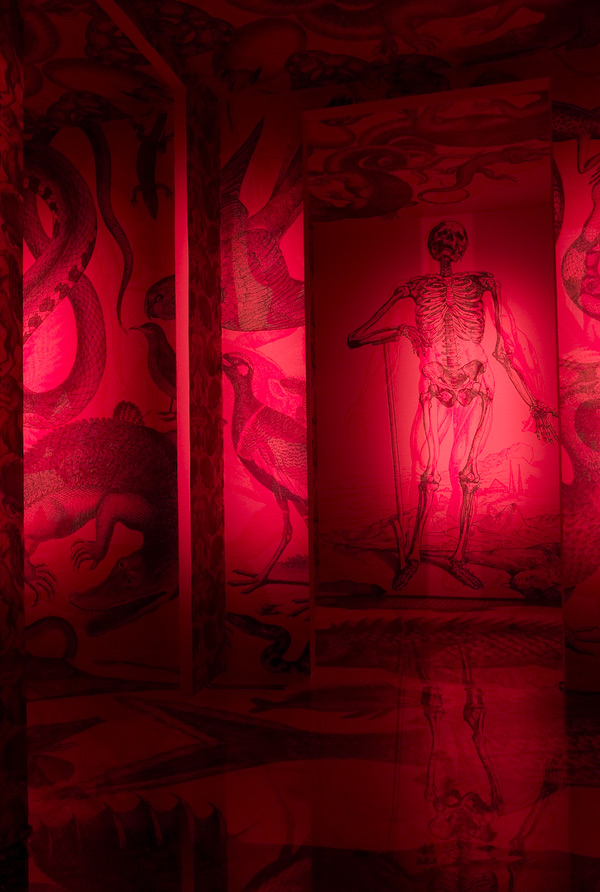
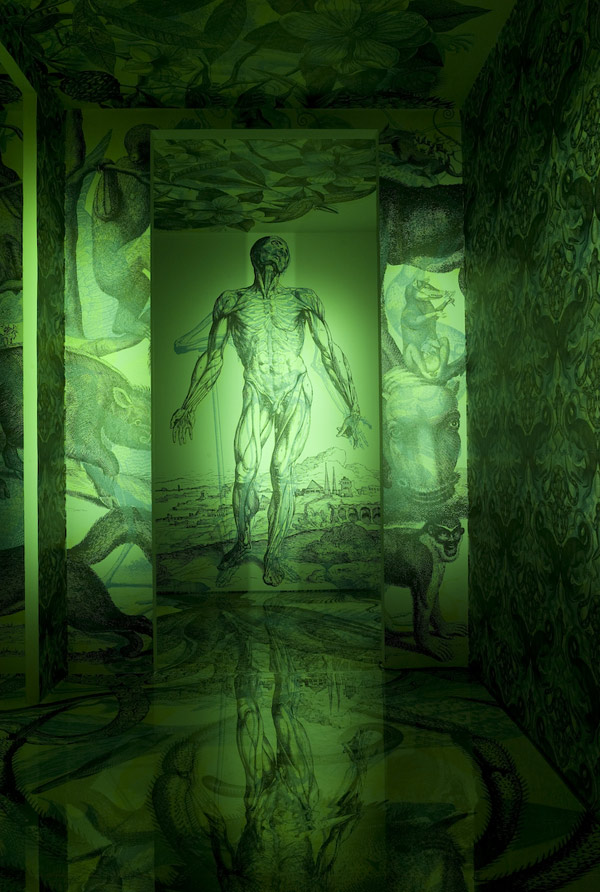
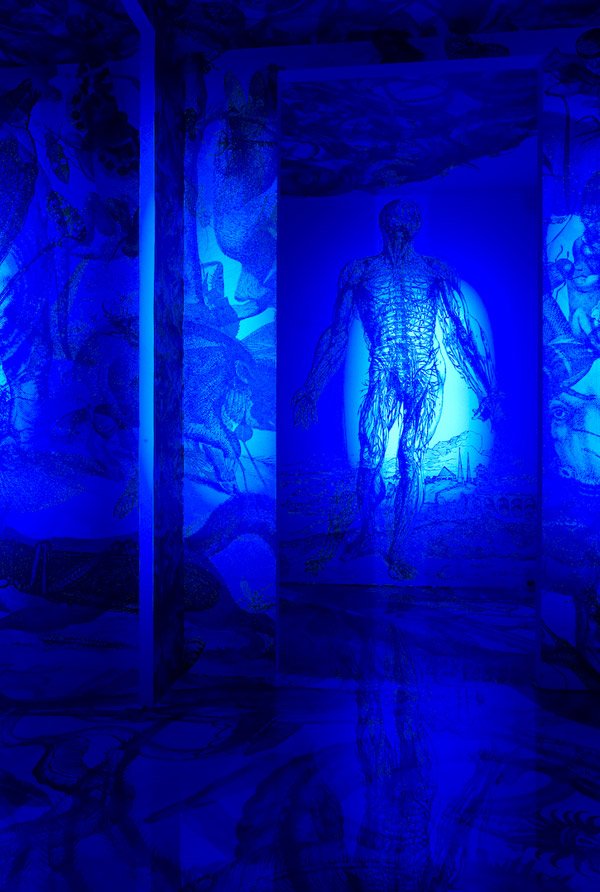
Another idea I had was from a website I came across on StumbleUpon (Carnovsky RGB). This guy created a wallpaper with multilayered images using the colours cyan,magenta & yellow that when exposed to different colours of light would reveal a different layer. 


This is another technique I think that's worth exploring, with this method I could have 3 anamorphic messages in the one corner. So as well as it being difficult to understand when your not standing in the right viewpoint it'll also be nearly illegible with the layers of text, then all would become clear with the right viewpoint and your choice of colour.

Sunday, 18 March 2012

Experimenting with anamorphic type #2

For my next experiment with anamorphic type I made a corner scene out of cardboard boxes and covered it with brown backing paper. I wanted to experiment with using a projector to see if  it would distort the image onto the surface for me... it didn't. I had to alter the text through Photoshop while checking it through a camera, this took a long time to get right as I was constantly altering, checking and altering again. Next time I may try photographing the area I want to paint my text onto, then mock it up on Photoshop and project the distorted text. If that worked it would really speed up the process as having to alter the text live is a pain and really impractical if I ended up doing it outside somewhere.
If I do end up doing my project outside I may have to build some sort of image enlarger that would project a sheet of acetate onto a wall as I won't be able to take a projector and laptop outside.
I'm pretty happy with the result of this experiment, there's a few areas that are slightly out but it's probably because as I was sketching the projected image the cardboard kept moving slightly, moving the distorted image. I only occurred to me while I was in the middle of sketching that I should have moved the lonely 'an' in line with the above text, I was so focused on getting the illusion right that I didn't even notice.
Distorted image that was projected